Neighborly
Turn leftovers into connections
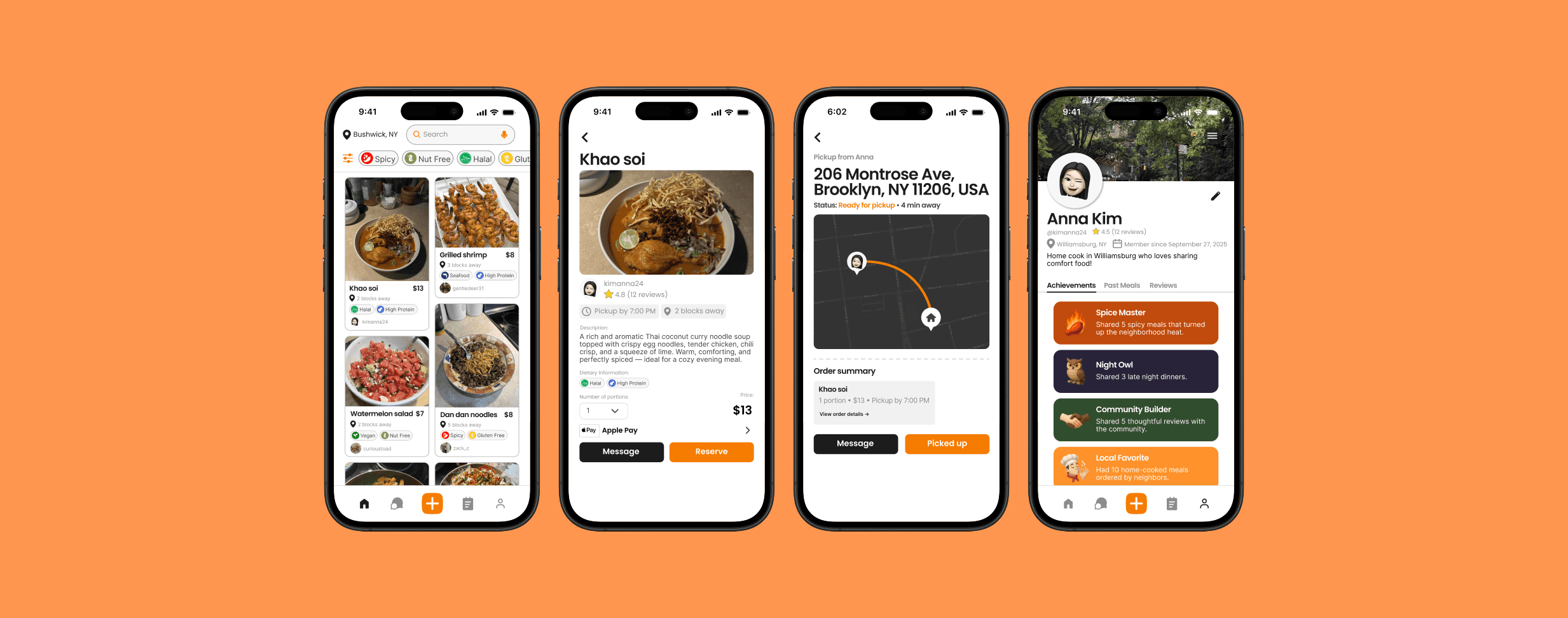
Neighborly is a meal-sharing app that connects neighbors through food. It allows home cooks to share extra portions, helps busy individuals find affordable homemade meals nearby, and reduces community food waste while strengthening local connections.
TOOLS
Figma, FigJam, Figma Make
ROLE
Product Designer
TIMELINE
Sept 15 - Oct 17 2025 (5 weeks)
THE PROBLEM
Wasted meals, disconnected neighbors
Every year, millions of home-cooked meals go uneaten while neighbors living just blocks away struggle to find quick, affordable dinner options. At the same time, people feel increasingly disconnected from their local communities.
How might we turn surplus home-cooked meals into everyday connections between neighbors?
THE SOLUTION
A local marketplace for home cooking
A platform where neighbors can share extra meals within a 5-block radius; reducing food waste, easing daily meal stress, and building community.
Discover + purchase local food
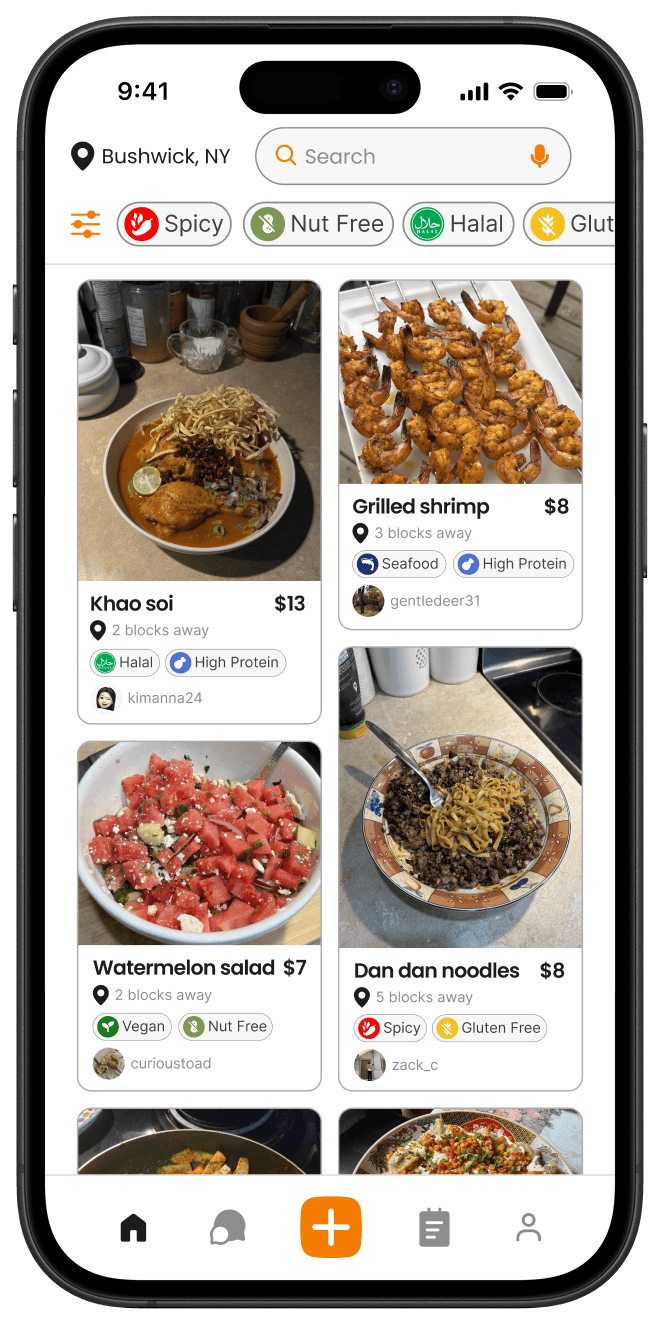
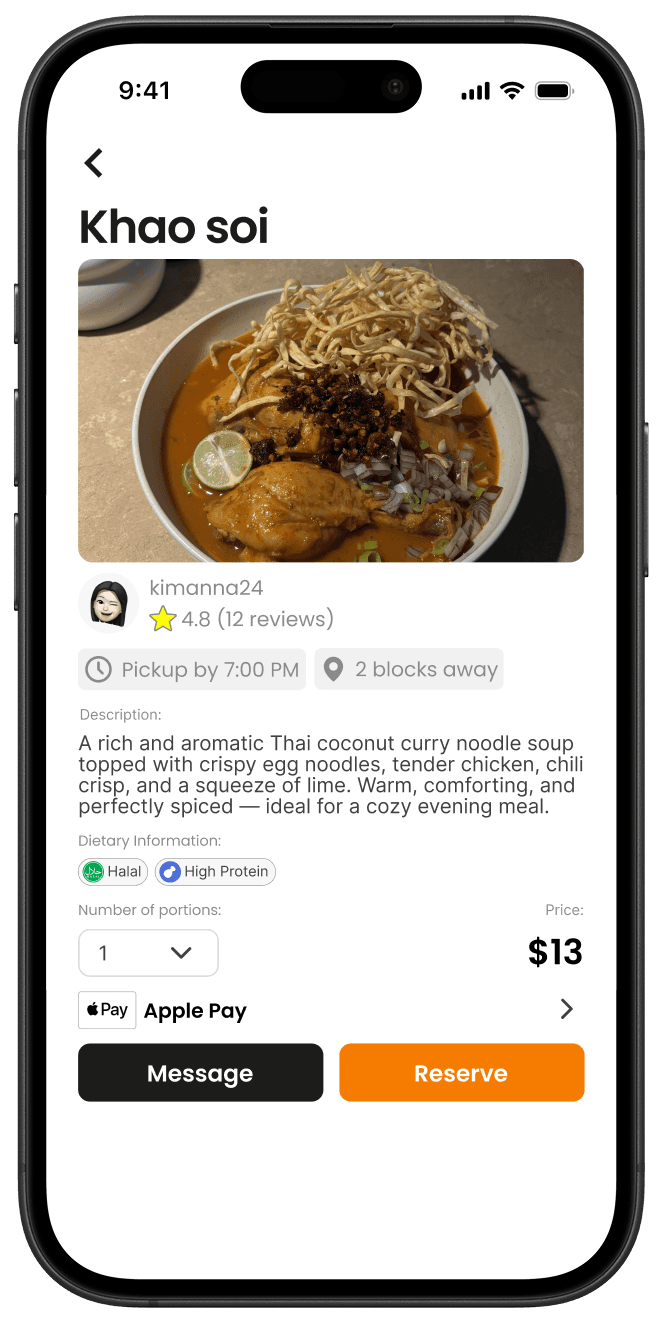
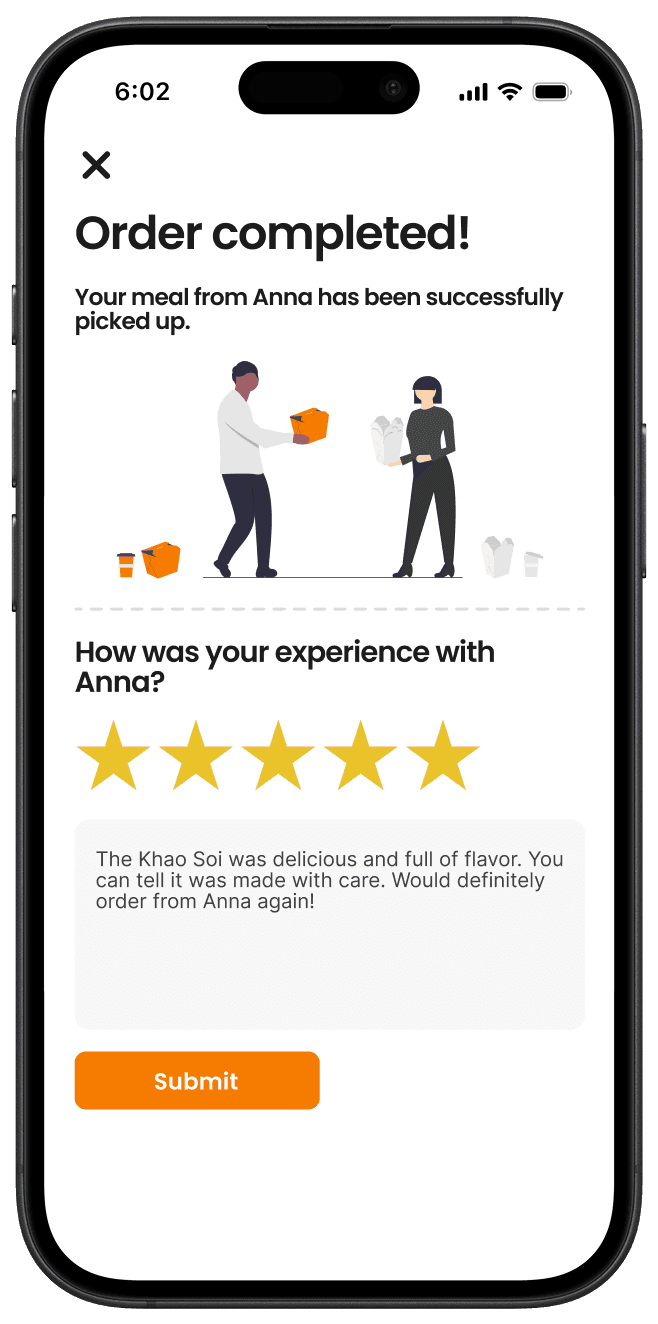
Users can explore nearby home-cooked meals, view details like pickup time and distance, and place an order seamlessly through in-app payment.
Share a meal with your community
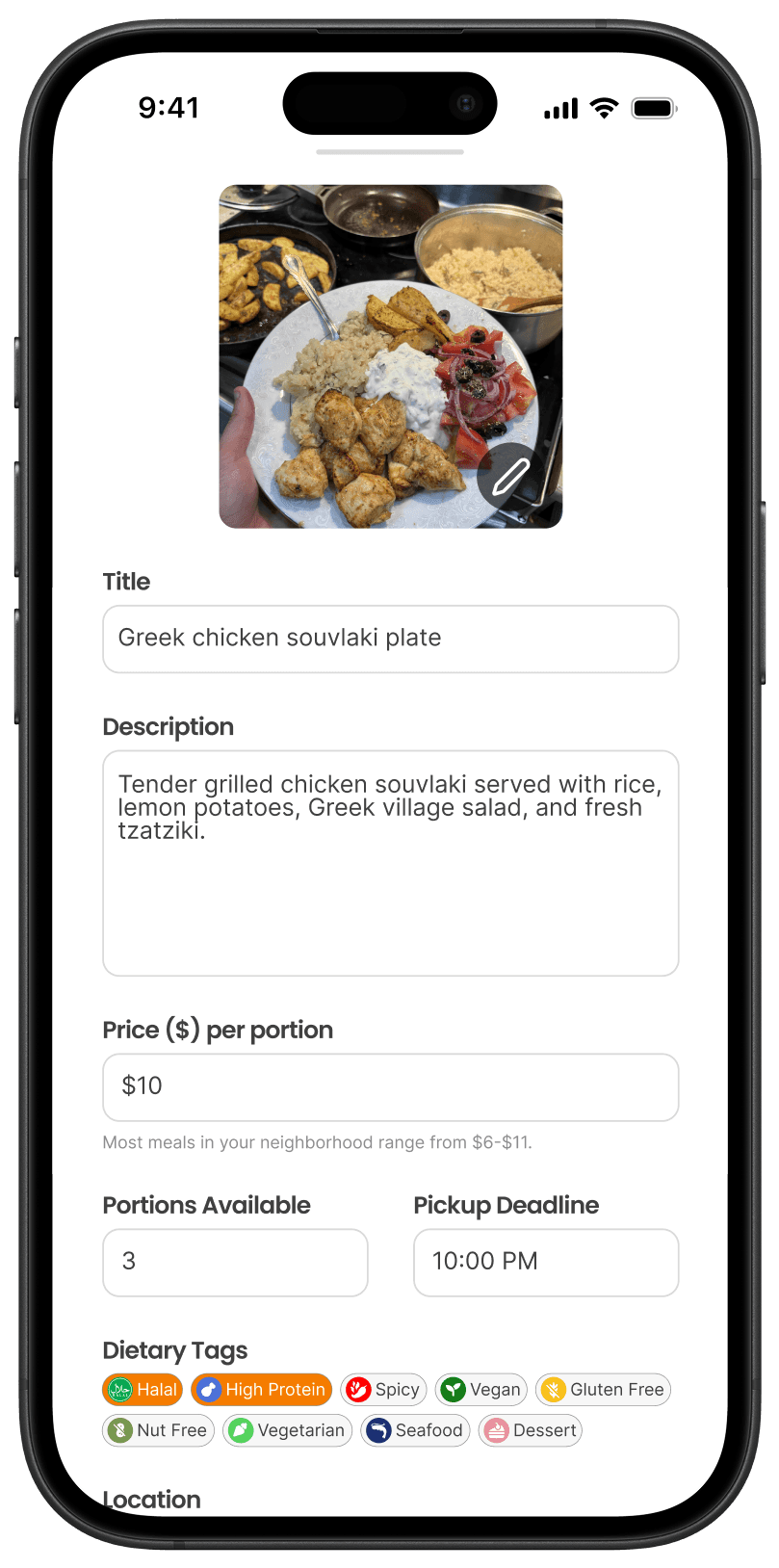
Post extra homemade meals with photos, details, and tags, making it easy to share food and connect with nearby neighbors.
Seamless pickup coordination
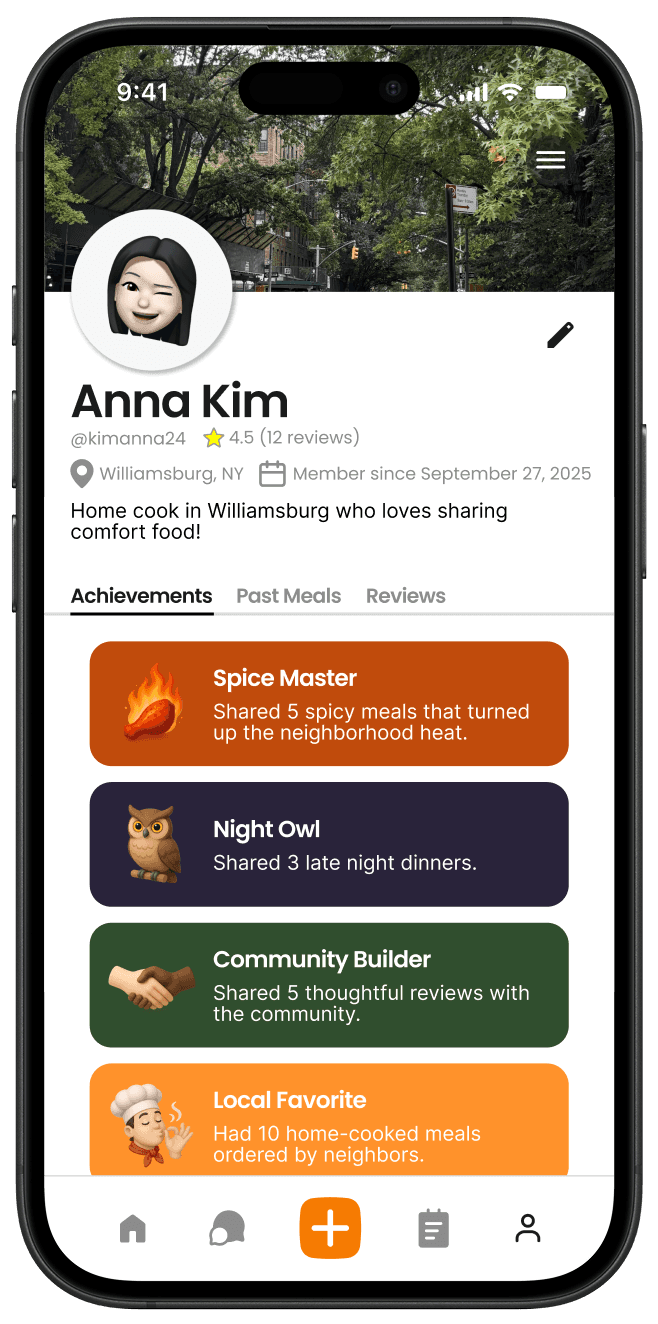
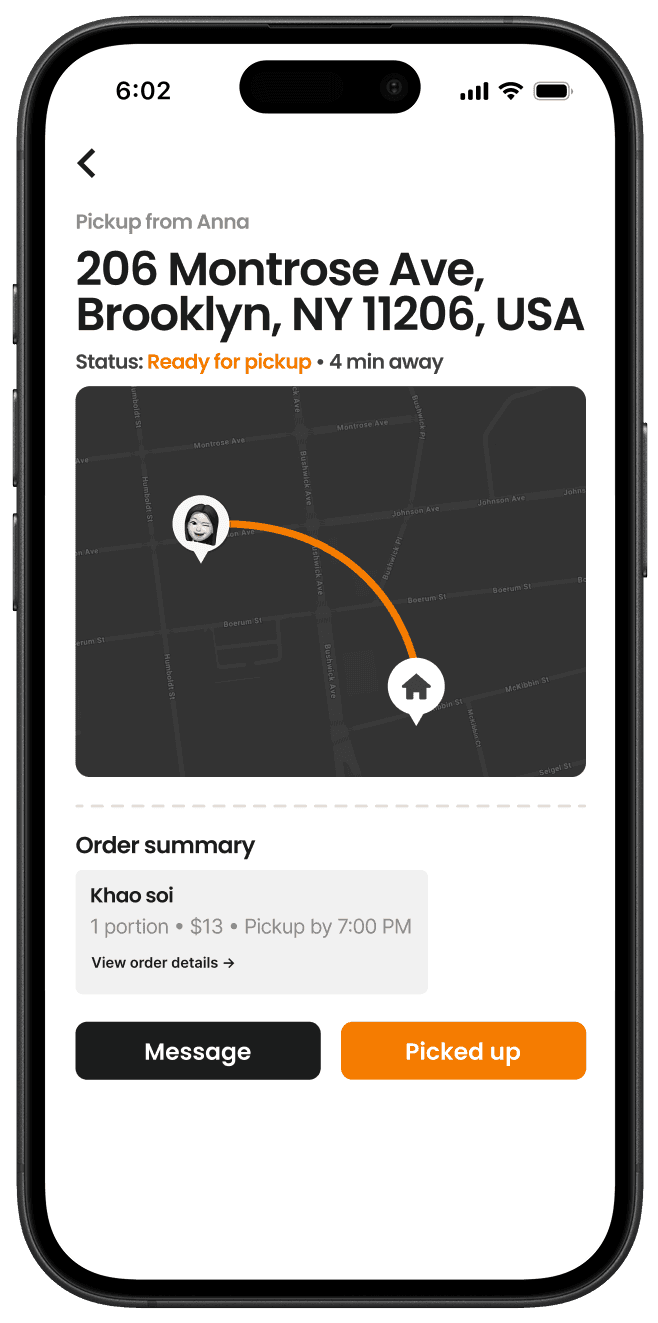
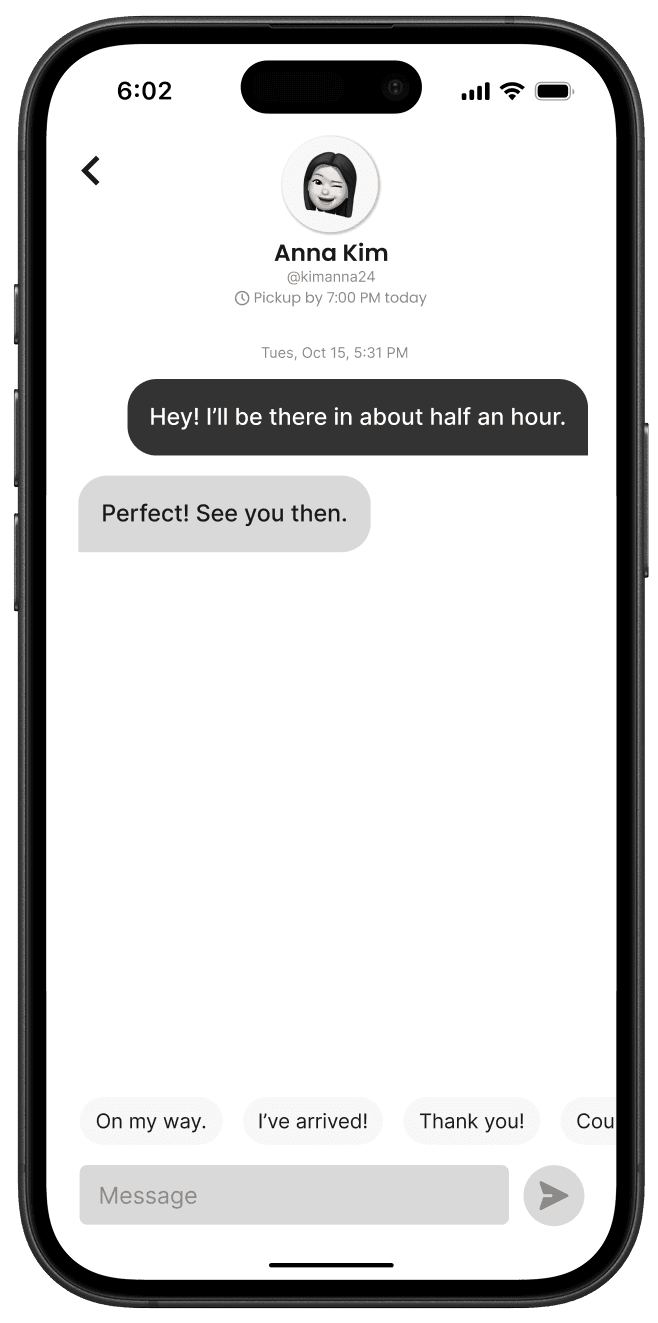
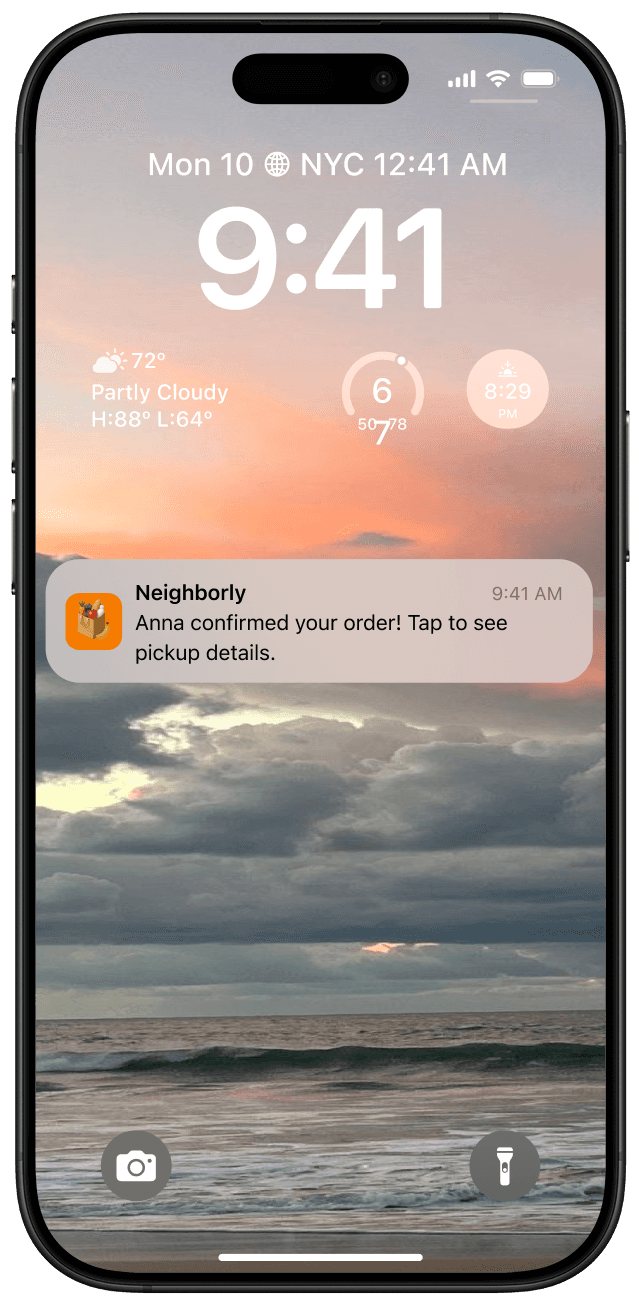
Neighborly facilitates smooth, friendly communication between neighbors, making local meal sharing safe and effortless.
USER RESEARCH
PAIN POINTS
I collected insights from online communities to better understand real frustrations and pain points. Many people shared experiences around food waste, as well as a desire for stronger connections with their neighbors.
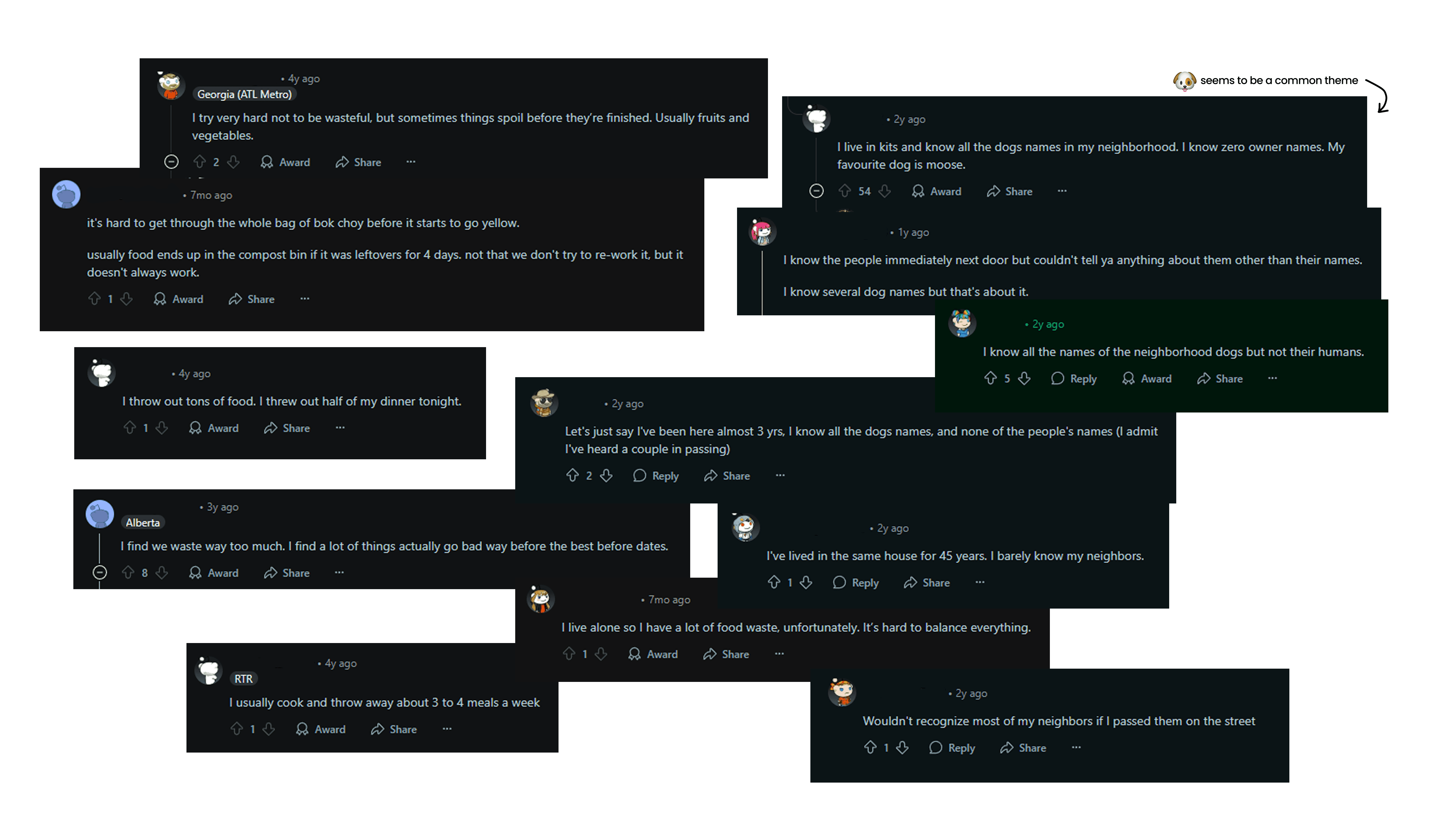
Two common problems arise:
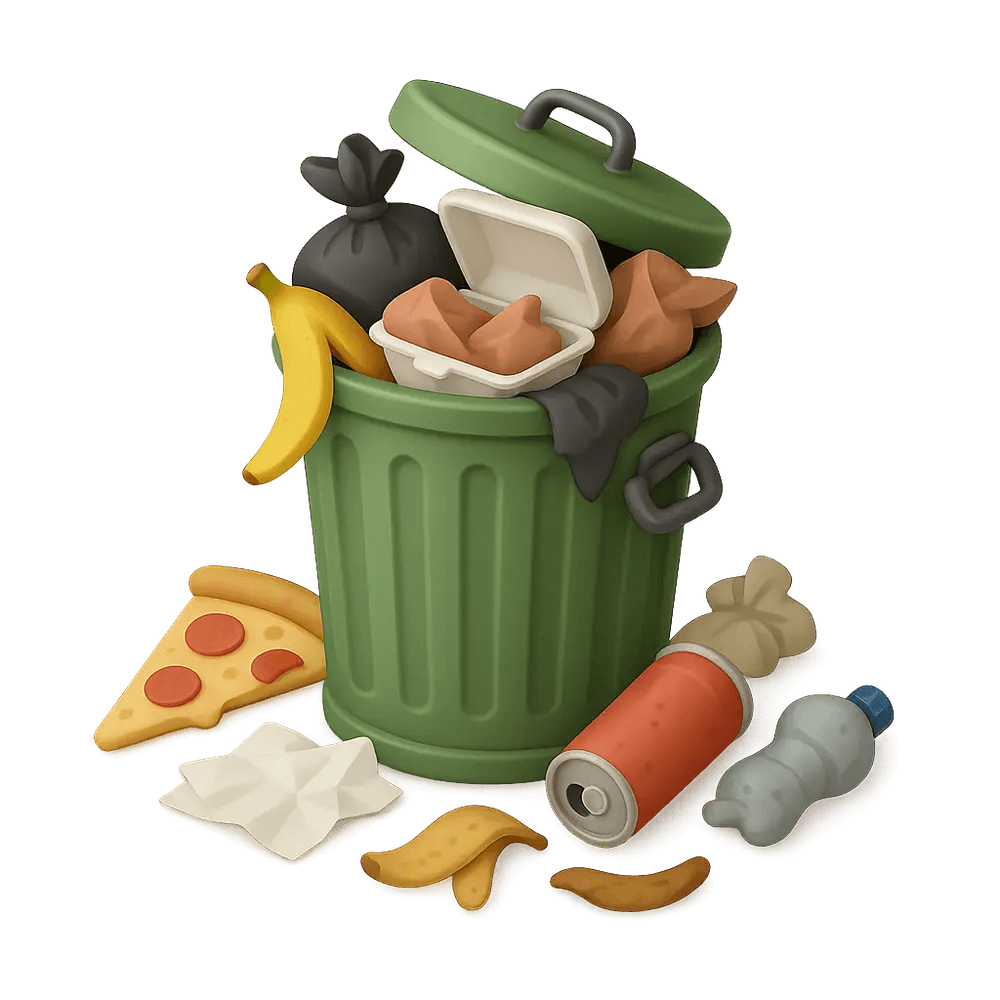
Too much home-cooked food going to waste
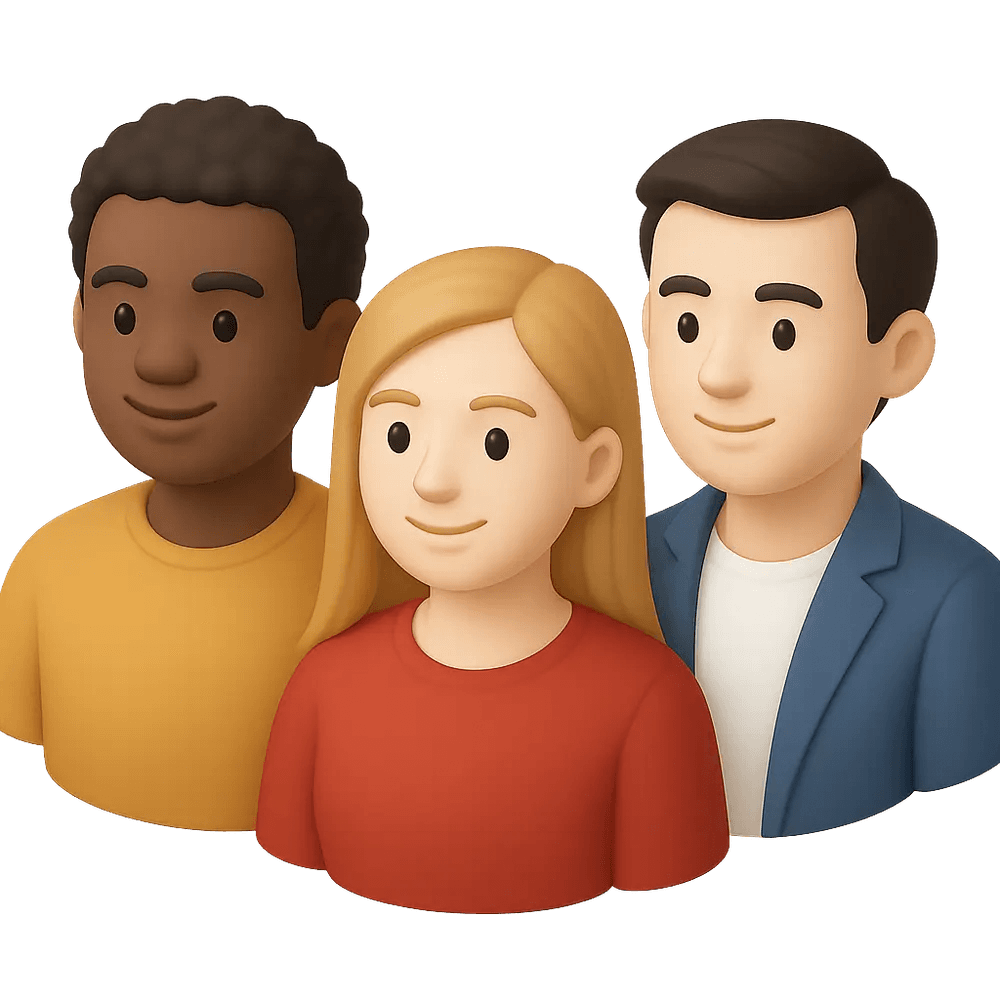
A lack of meaningful connection between neighbors
COMPETITIVE ANALYSIS
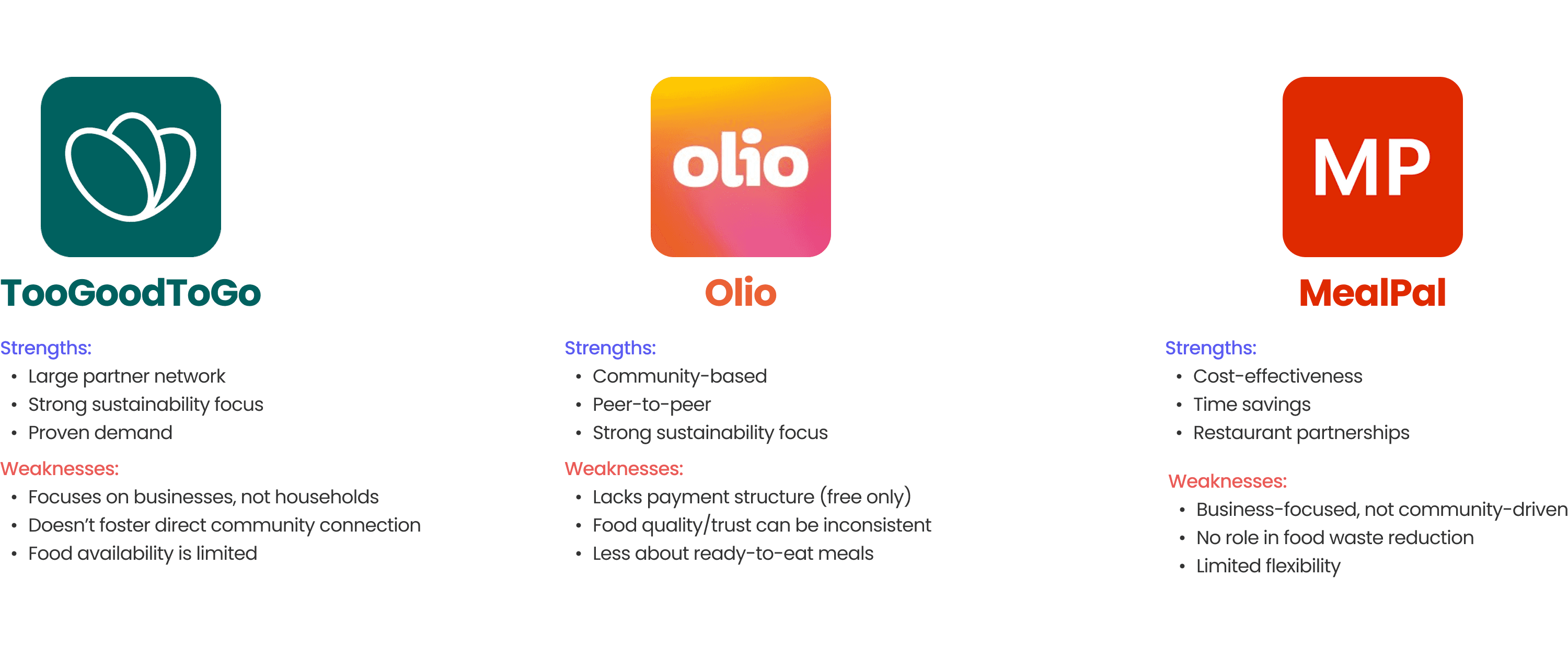
To better understand how these pain points are currently being addressed in the market, I looked at existing food-sharing and meal discovery apps, analyzing where they succeed and where they leave gaps.
USER PERSONAS + JOURNEYS
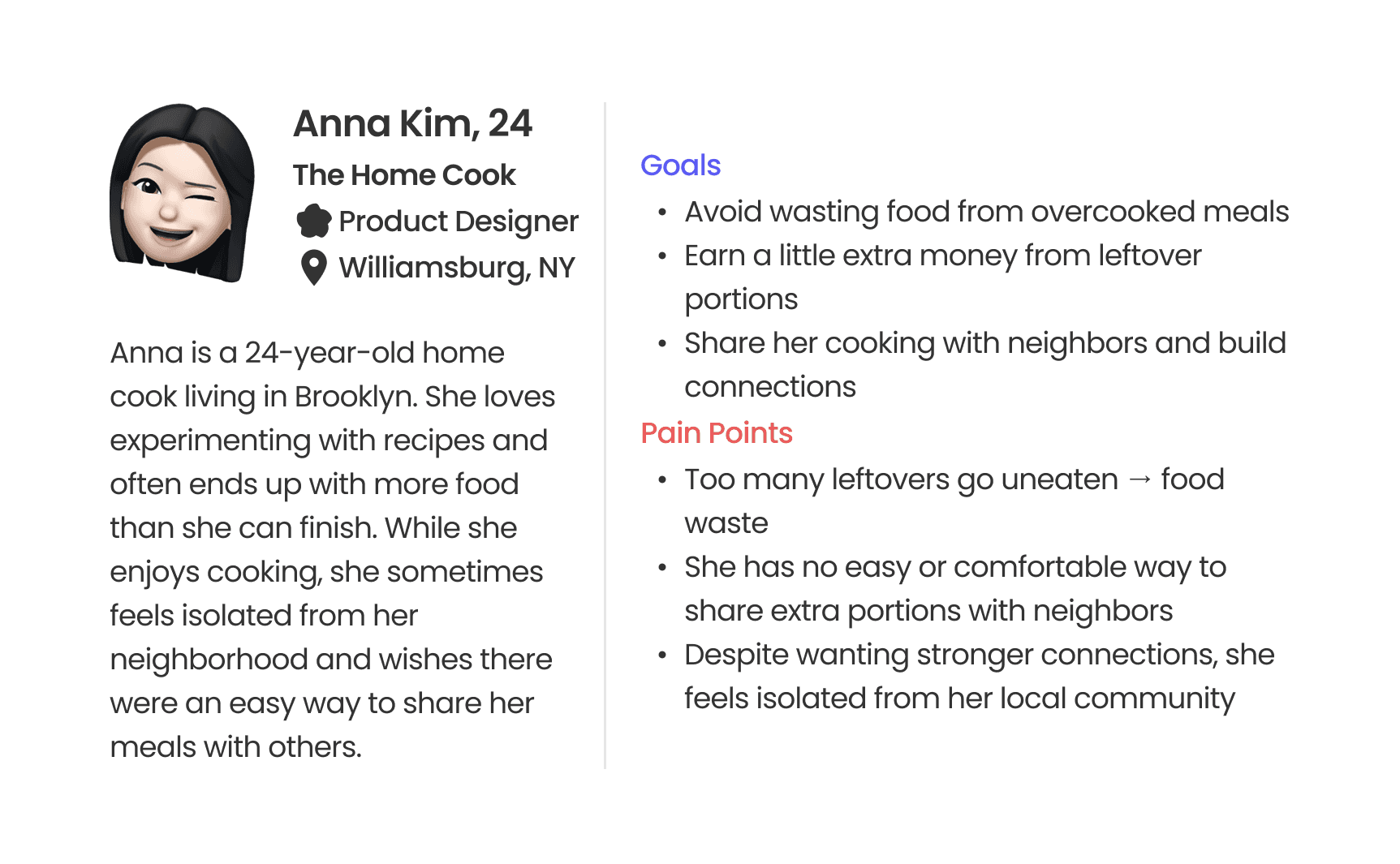
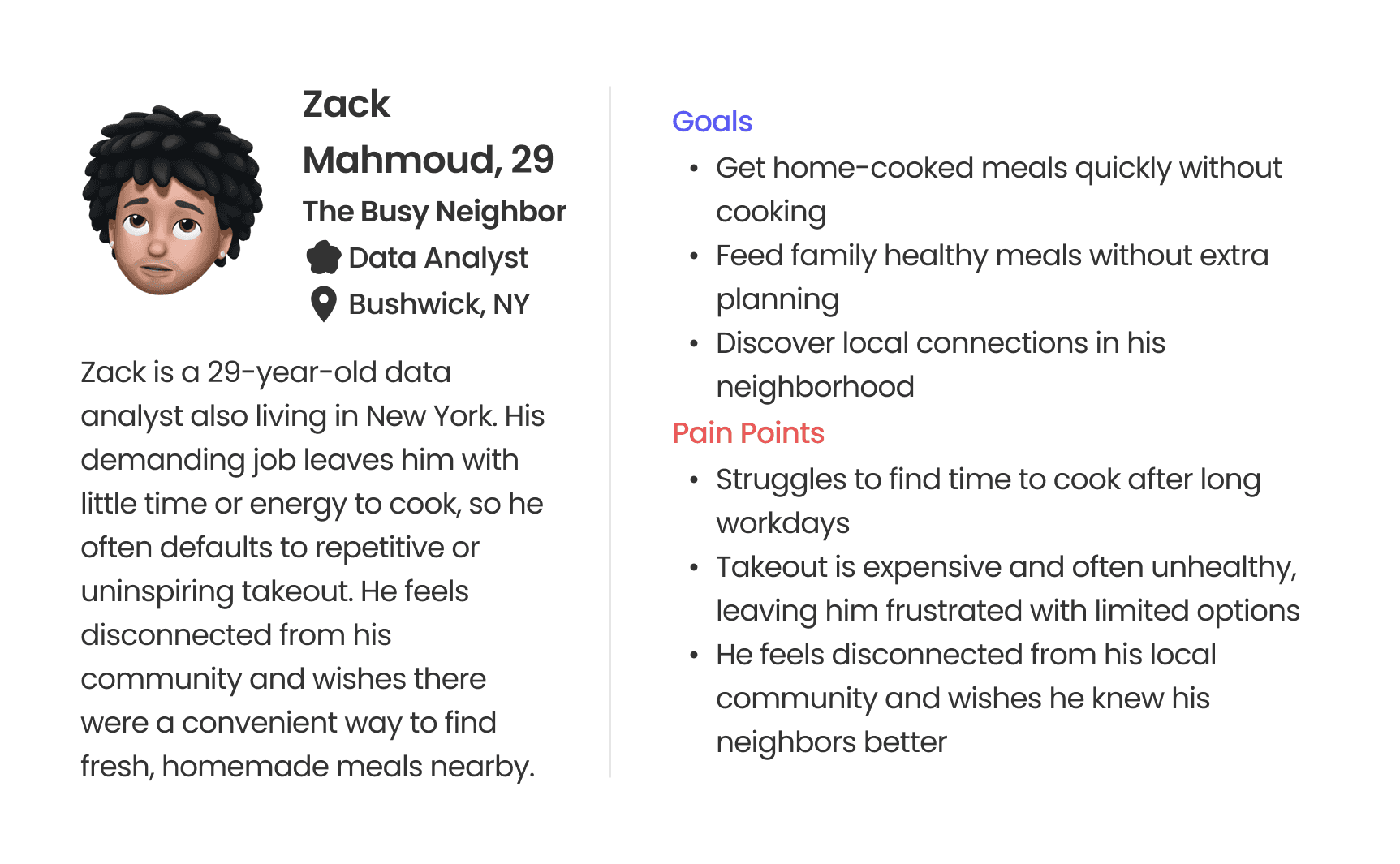
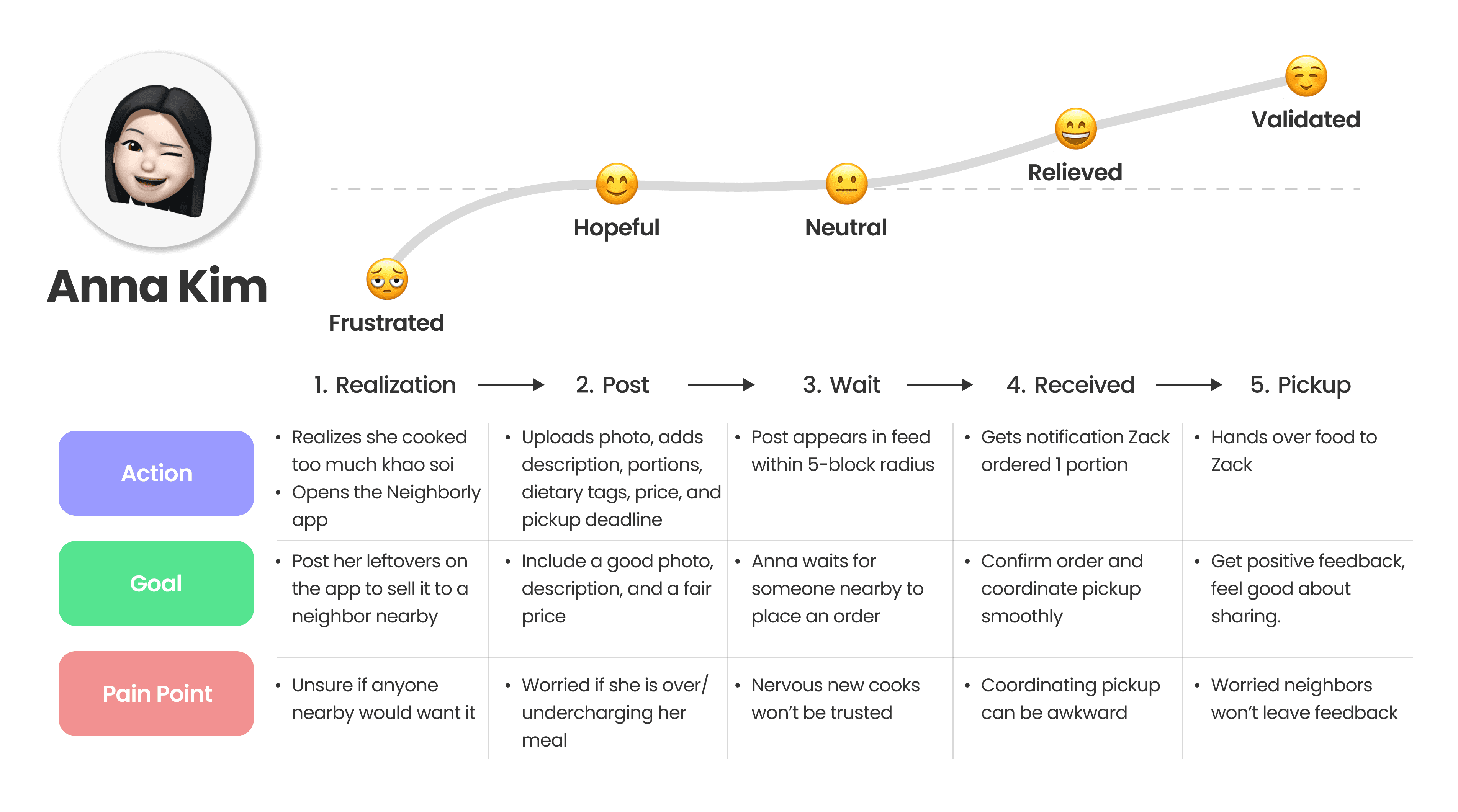
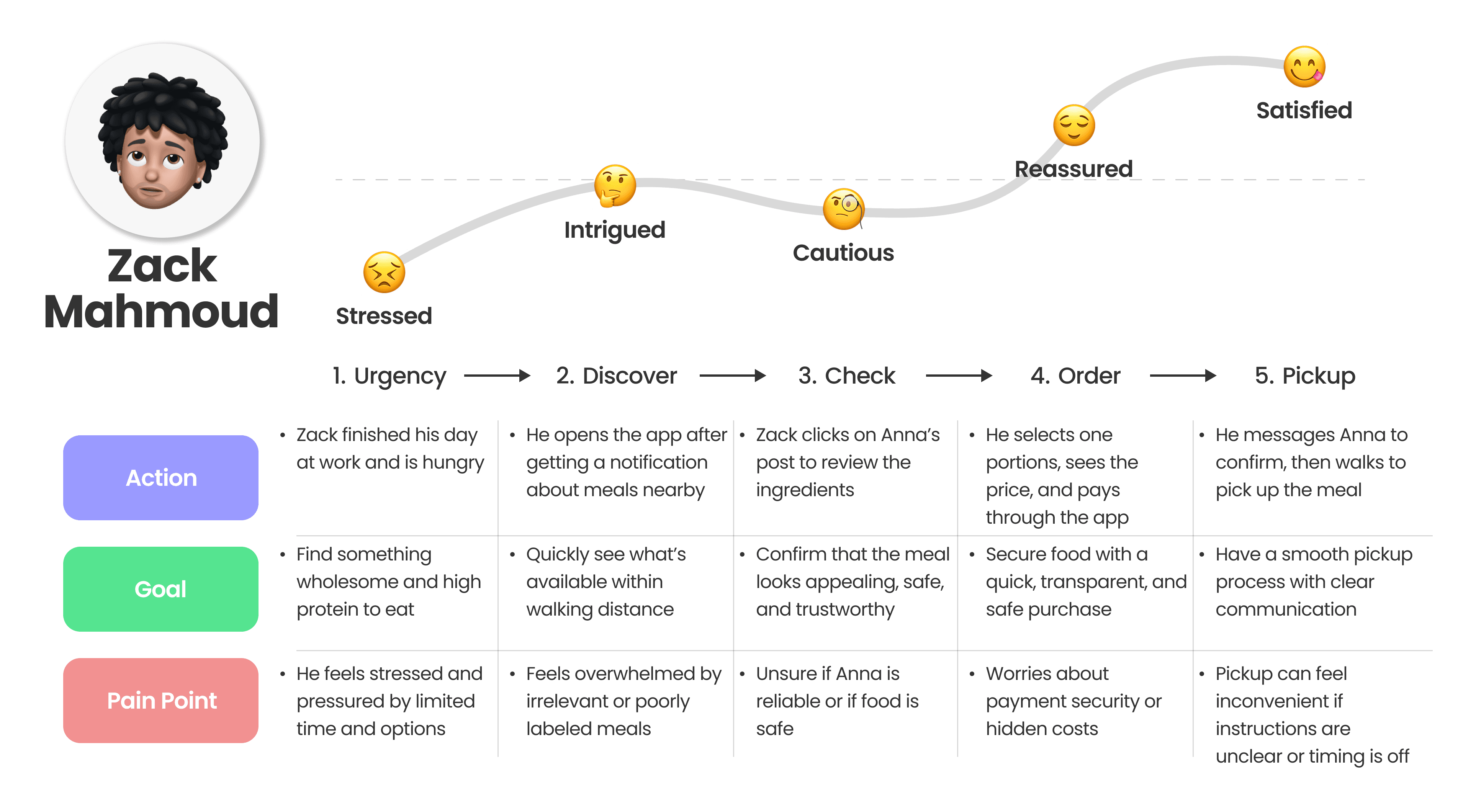
Market research revealed clear gaps. To design for real people, I grounded the problem in the everyday experiences of potential users. This led to the creation of two core personas, followed by mapping their user journeys.
FEATURE DEVELOPMENT
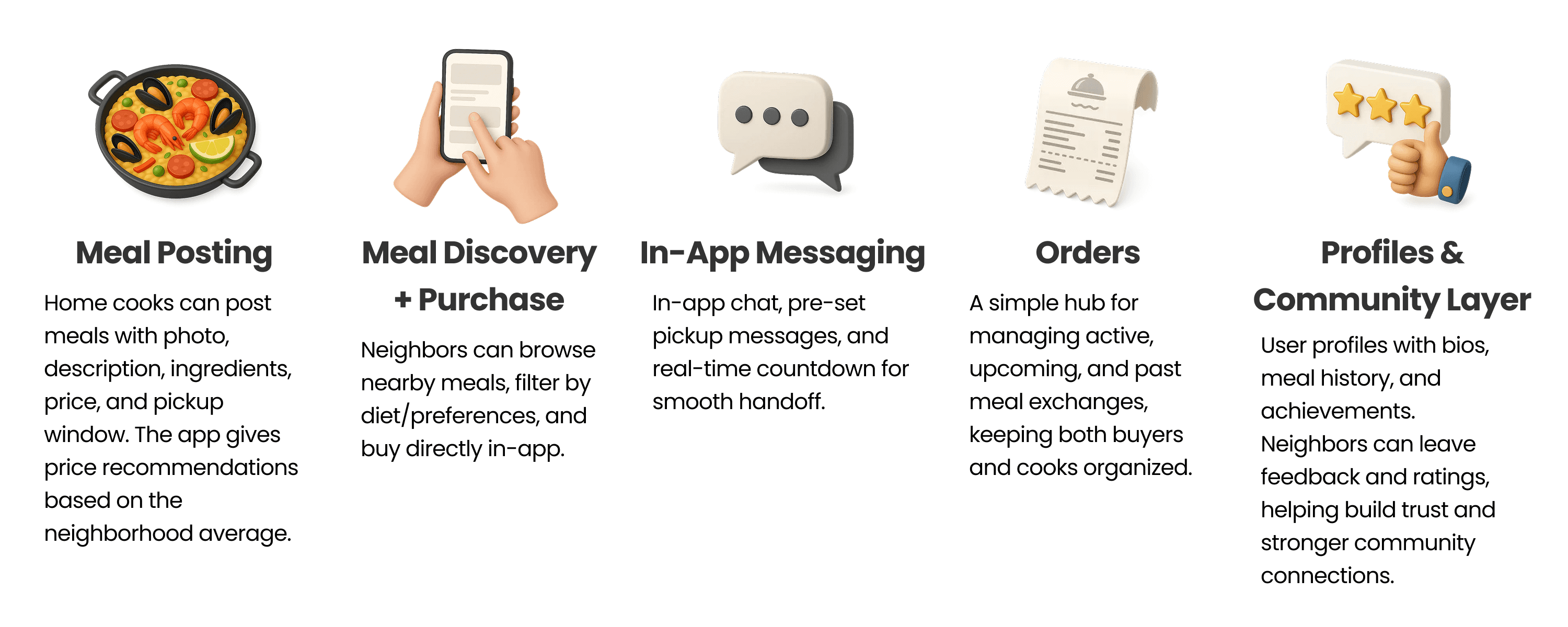
I took the pain points from both Anna and Zack and curated 5 main features for the app:
TASK FLOWS
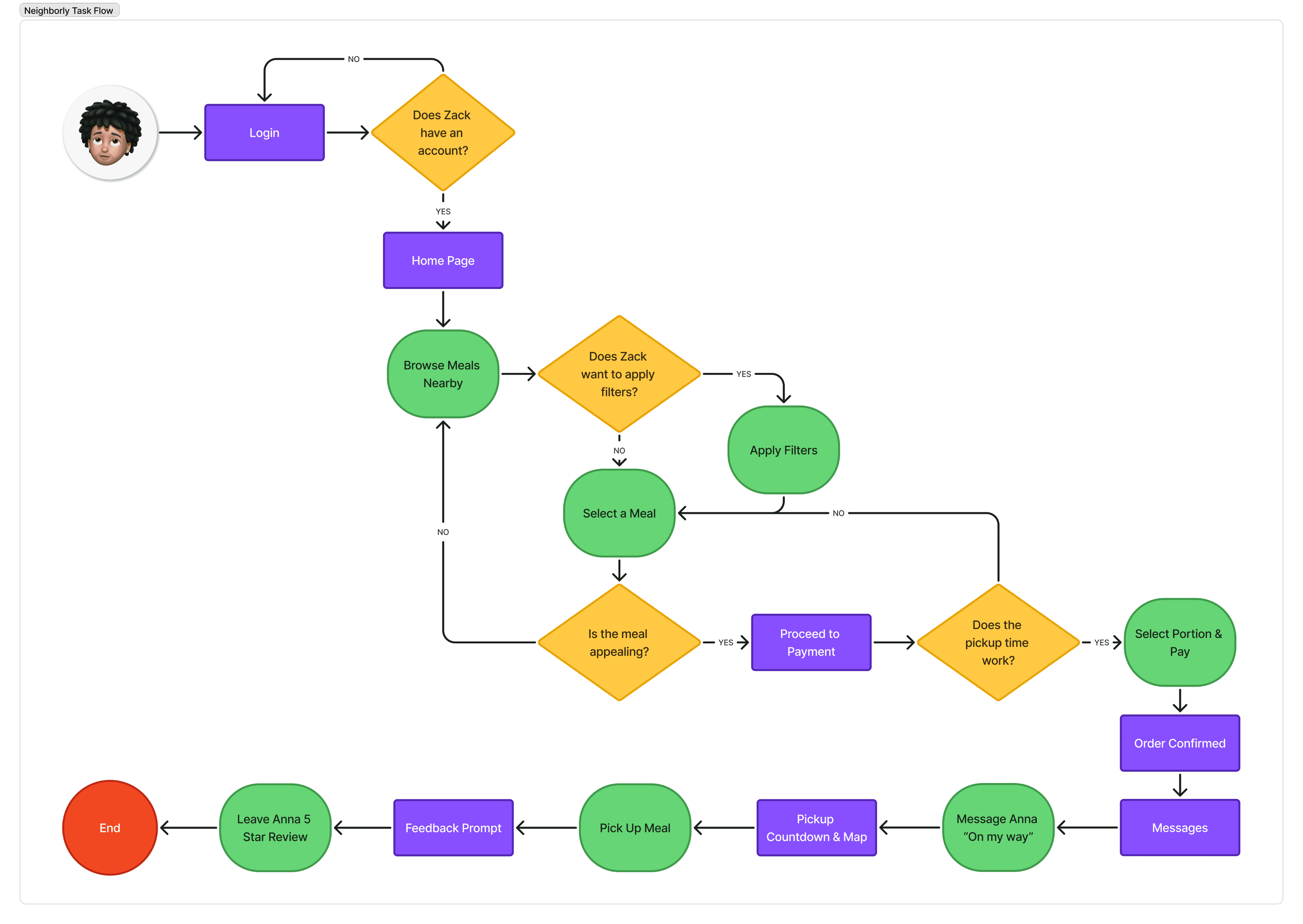
After defining the core features of Neighborly and outlining how they support the user’s needs, the next step was to map out a key task flow to illustrate how a user would interact with these features in a real scenario.
Scenario: Zack wants to quickly find and buy a home-cooked meal from a neighbor after work.
WIREFRAMING
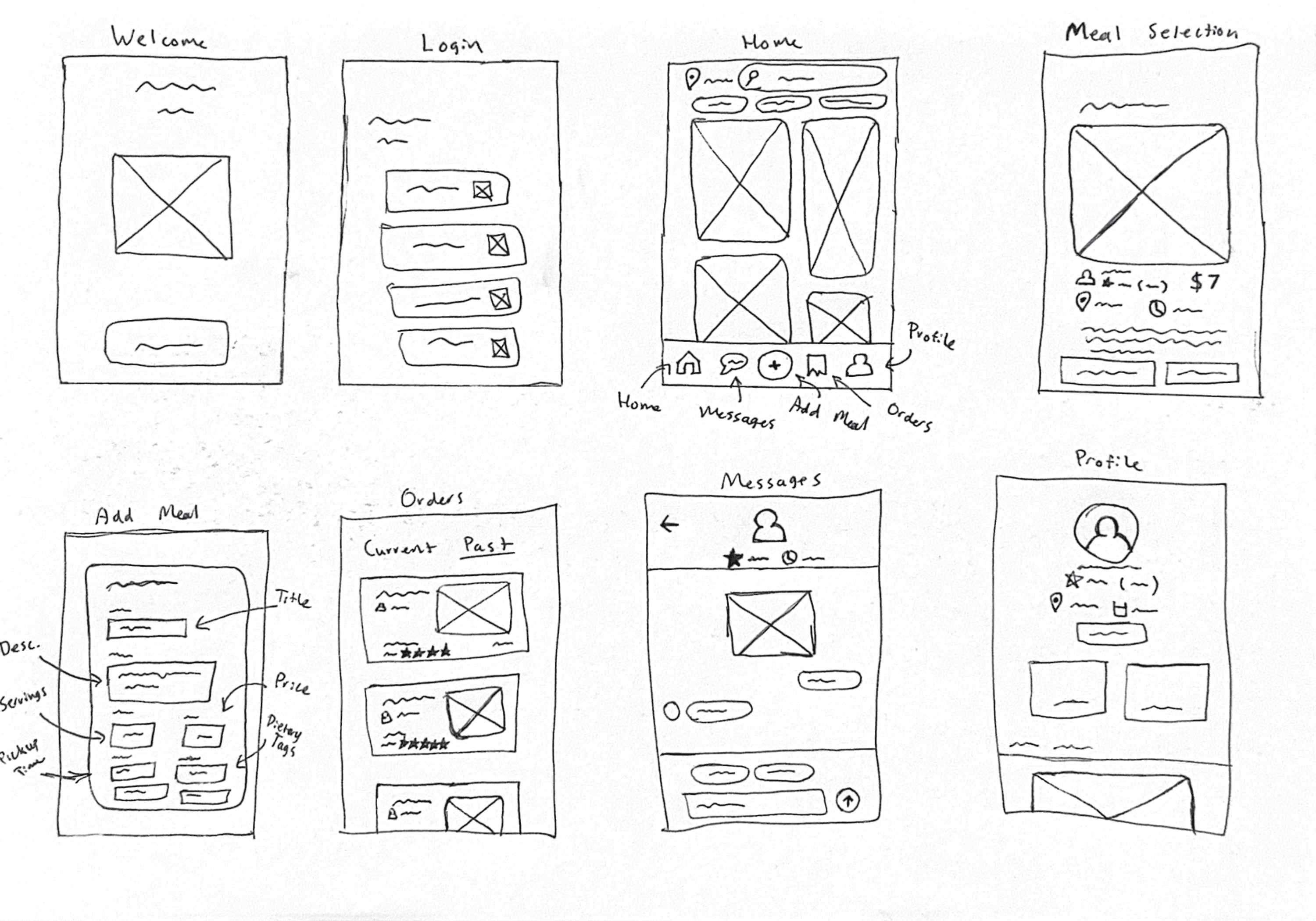
After mapping out the task flow, the next step was bringing it to life through low-fidelity wireframes, allowing me to explore layout ideas and interaction patterns. These early iterations built the structure leading to my final design.
FINAL DESIGNS
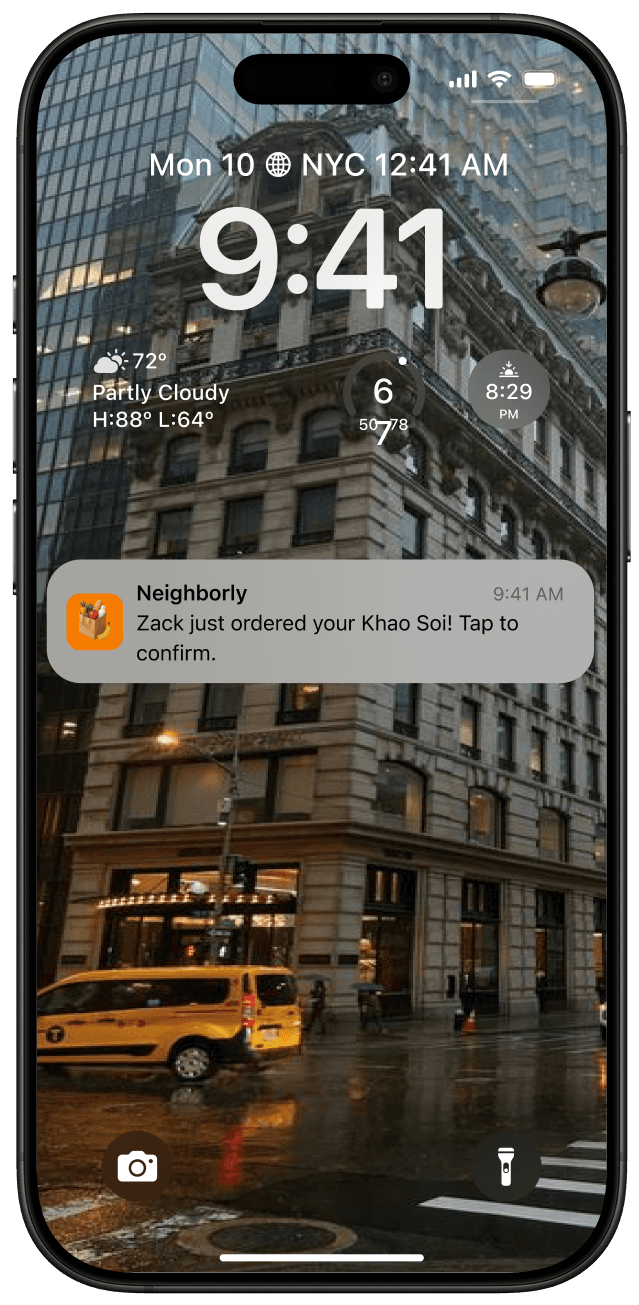
REFLECTIONS
I learned a lot during this project. Looking back, there are a few things I would change/do differently:
Create a design system. Looking back, I would create a design system from the start to ensure better consistency and faster iteration across all screens.
Do multiple iterations early on. I learned that spending more time exploring different ideas early in the process helps refine the concept and improve the final outcome. If I had done more iterations initially, I could have identified stronger visual directions and smoother user flows.
Refine microinteractions and overall motion. While my main flows functioned well, I realized how much small details, such as transition timing, button animations, and scroll behaviours, impact the overall experience. Next time, I’ll focus more on refining these microinteractions to create a smoother and more polished product.
Neighborly
Turn leftovers into connections
Neighborly is a meal-sharing app that connects neighbors through food. It allows home cooks to share extra portions, helps busy individuals find affordable homemade meals nearby, and reduces community food waste while strengthening local connections.
TOOLS
Figma, FigJam, Figma Make
ROLE
Product Designer
TIMELINE
Sept 15 - Oct 17 2025 (5 weeks)
THE PROBLEM
Wasted meals, disconnected neighbors
Every year, millions of home-cooked meals go uneaten while neighbors living just blocks away struggle to find quick, affordable dinner options. At the same time, people feel increasingly disconnected from their local communities.
How might we turn surplus home-cooked meals into everyday connections between neighbors?
THE SOLUTION
A local marketplace for home cooking
A platform where neighbors can share extra meals within a 5-block radius; reducing food waste, easing daily meal stress, and building community.
Discover + purchase local food
Users can explore nearby home-cooked meals, view details like pickup time and distance, and place an order seamlessly through in-app payment.
Share a meal with your community
Post extra homemade meals with photos, details, and tags, making it easy to share food and connect with nearby neighbors.
Seamless pickup coordination
Neighborly facilitates smooth, friendly communication between neighbors, making local meal sharing safe and effortless.
USER RESEARCH
PAIN POINTS
I collected insights from online communities to better understand real frustrations and pain points. Many people shared experiences around food waste, as well as a desire for stronger connections with their neighbors.
Two common problems arise:
Too much home-cooked food going to waste
A lack of meaningful connection between neighbors
COMPETITIVE ANALYSIS
To better understand how these pain points are currently being addressed in the market, I looked at existing food-sharing and meal discovery apps, analyzing where they succeed and where they leave gaps.
USER PERSONAS + JOURNEYS
Market research revealed clear gaps. To design for real people, I grounded the problem in the everyday experiences of potential users. This led to the creation of two core personas, followed by mapping their user journeys.
FEATURE DEVELOPMENT
I took the pain points from both Anna and Zack and curated 5 main features for the app:
TASK FLOWS
After defining the core features of Neighborly and outlining how they support the user’s needs, the next step was to map out a key task flow to illustrate how a user would interact with these features in a real scenario.
Scenario: Zack wants to quickly find and buy a home-cooked meal from a neighbor after work.
WIREFRAMING
After mapping out the task flow, the next step was bringing it to life through low-fidelity wireframes, allowing me to explore layout ideas and interaction patterns. These early iterations built the structure leading to my final design.
FINAL DESIGNS
REFLECTIONS
I learned a lot during this project. Looking back, there are a few things I would change/do differently:
Create a design system. Looking back, I would create a design system from the start to ensure better consistency and faster iteration across all screens.
Do multiple iterations early on. I learned that spending more time exploring different ideas early in the process helps refine the concept and improve the final outcome. If I had done more iterations initially, I could have identified stronger visual directions and smoother user flows.
Refine microinteractions and overall motion. While my main flows functioned well, I realized how much small details, such as transition timing, button animations, and scroll behaviours, impact the overall experience. Next time, I’ll focus more on refining these microinteractions to create a smoother and more polished product.
Neighborly
Turn leftovers into connections
Neighborly is a meal-sharing app that connects neighbors through food. It allows home cooks to share extra portions, helps busy individuals find affordable homemade meals nearby, and reduces community food waste while strengthening local connections.
TOOLS
Figma, FigJam, Figma Make
ROLE
Product Designer
TIMELINE
Sept 15 - Oct 17 2025 (5 weeks)
THE PROBLEM
Wasted meals, disconnected neighbors
Every year, millions of home-cooked meals go uneaten while neighbors living just blocks away struggle to find quick, affordable dinner options. At the same time, people feel increasingly disconnected from their local communities.
How might we turn surplus home-cooked meals into everyday connections between neighbors?
THE SOLUTION
A local marketplace for home cooking
A platform where neighbors can share extra meals within a 5-block radius; reducing food waste, easing daily meal stress, and building community.
Discover + purchase local food
Users can explore nearby home-cooked meals, view details like pickup time and distance, and place an order seamlessly through in-app payment.
Share a meal with your community
Post extra homemade meals with photos, details, and tags, making it easy to share food and connect with nearby neighbors.
Seamless pickup coordination
Neighborly facilitates smooth, friendly communication between neighbors, making local meal sharing safe and effortless.
USER RESEARCH
PAIN POINTS
I collected insights from online communities to better understand real frustrations and pain points. Many people shared experiences around food waste, as well as a desire for stronger connections with their neighbors.
Two common problems arise:
Too much home-cooked food going to waste
A lack of meaningful connection between neighbors
COMPETITIVE ANALYSIS
To better understand how these pain points are currently being addressed in the market, I looked at existing food-sharing and meal discovery apps, analyzing where they succeed and where they leave gaps.
USER PERSONAS + JOURNEYS
Market research revealed clear gaps. To design for real people, I grounded the problem in the everyday experiences of potential users. This led to the creation of two core personas, followed by mapping their user journeys.
FEATURE DEVELOPMENT
I took the pain points from both Anna and Zack and curated 5 main features for the app:
TASK FLOWS
After defining the core features of Neighborly and outlining how they support the user’s needs, the next step was to map out a key task flow to illustrate how a user would interact with these features in a real scenario.
Scenario: Zack wants to quickly find and buy a home-cooked meal from a neighbor after work.
WIREFRAMING
After mapping out the task flow, the next step was bringing it to life through low-fidelity wireframes, allowing me to explore layout ideas and interaction patterns. These early iterations built the structure leading to my final design.
FINAL DESIGNS
REFLECTIONS
I learned a lot during this project. Looking back, there are a few things I would change/do differently:
Create a design system. Looking back, I would create a design system from the start to ensure better consistency and faster iteration across all screens.
Do multiple iterations early on. I learned that spending more time exploring different ideas early in the process helps refine the concept and improve the final outcome. If I had done more iterations initially, I could have identified stronger visual directions and smoother user flows.
Refine microinteractions and overall motion. While my main flows functioned well, I realized how much small details, such as transition timing, button animations, and scroll behaviours, impact the overall experience. Next time, I’ll focus more on refining these microinteractions to create a smoother and more polished product.